Kerf
FeaturesBlogSupportDownload on App Store
Kerf

Cut list optimizer for hobbyist woodworkers

Product

  • Features
  • Blog
  • Download

Legal

  • Support
  • Privacy Policy
© 2026 Keenan Kaufman

Every feature of Kerf, in one place.

Built for the real tolerances and materials of hobby woodworking — from cabinet sides to drawer bottoms.

Three layout strategies

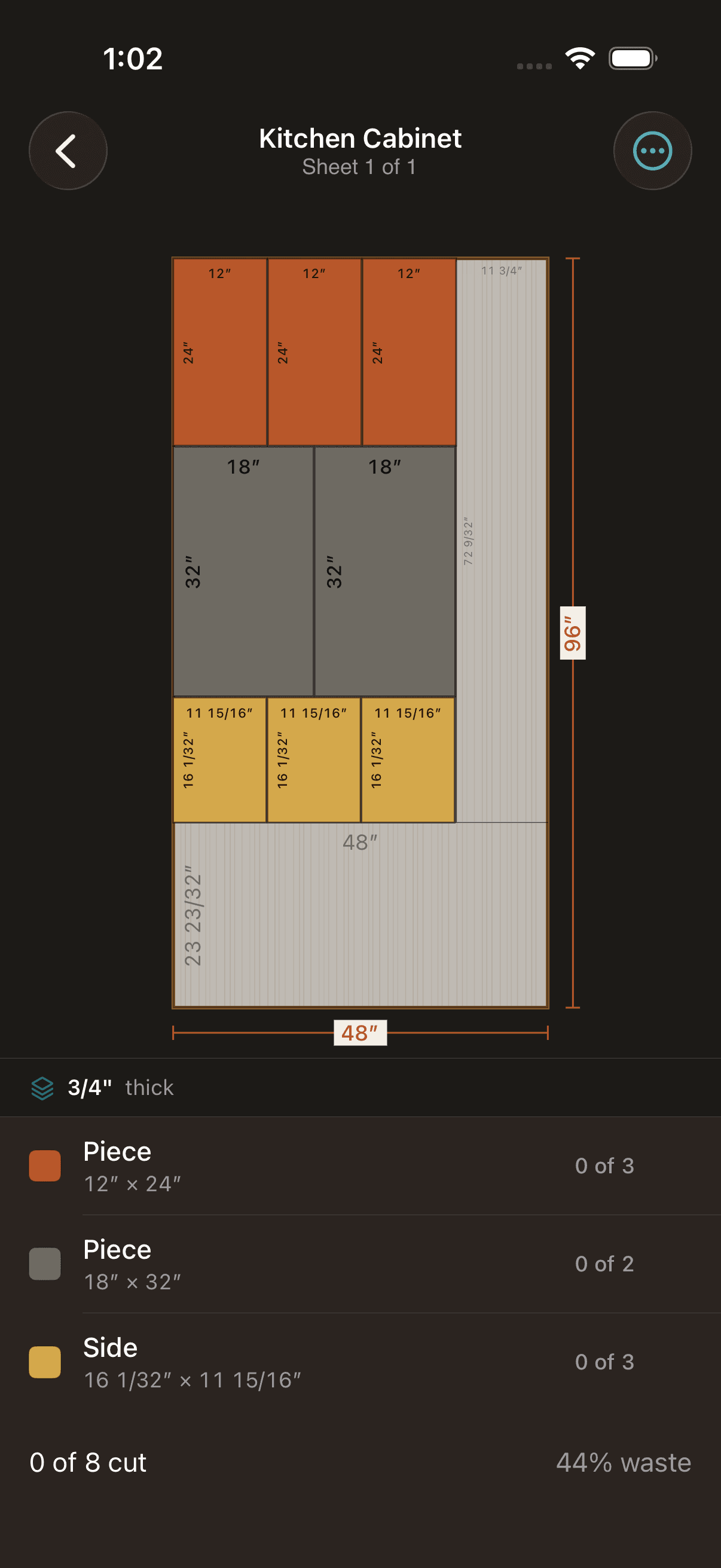
Choose how Kerf packs your pieces: leave one big reusable scrap, pack the fewest sheets, or constrain every cut to a full edge-to-edge pass for table-saw-only shops. Pick per project, switch anytime.
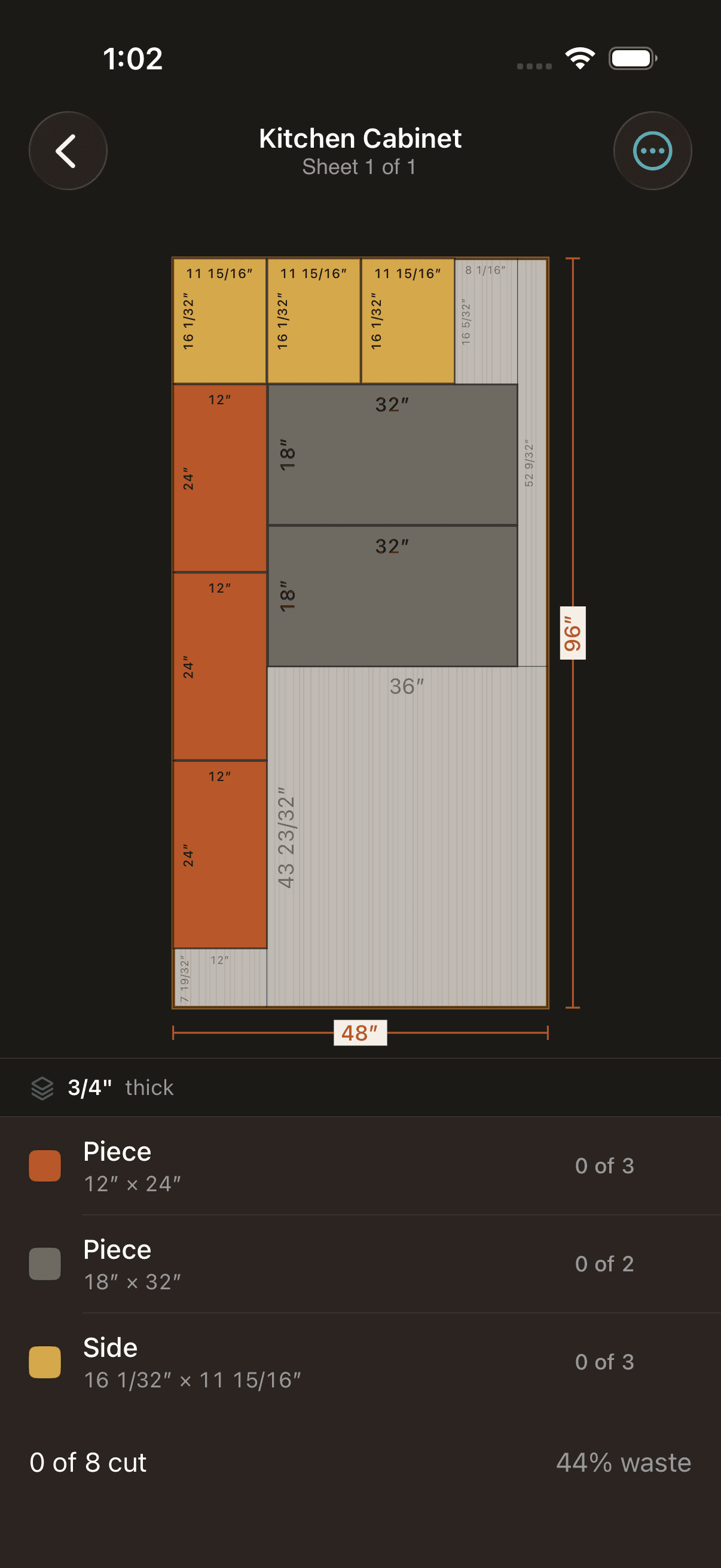
  • Best Leftover — keeps one big usable offcut
  • Fewest Sheets — tightest material usage
  • Easiest Cuts — table-saw-compatible guillotine layouts
  • Switch strategies with a single tap
Kerf results screen showing a solved Best Leftover layout with labeled pieces on a 48 by 96 inch plywood sheet

Import from anywhere

Snap a picture of a printed cut list, dictate pieces out loud, drop in a CSV or PDF — Kerf parses each source into stock sheets and cut pieces you can review and edit before solving.
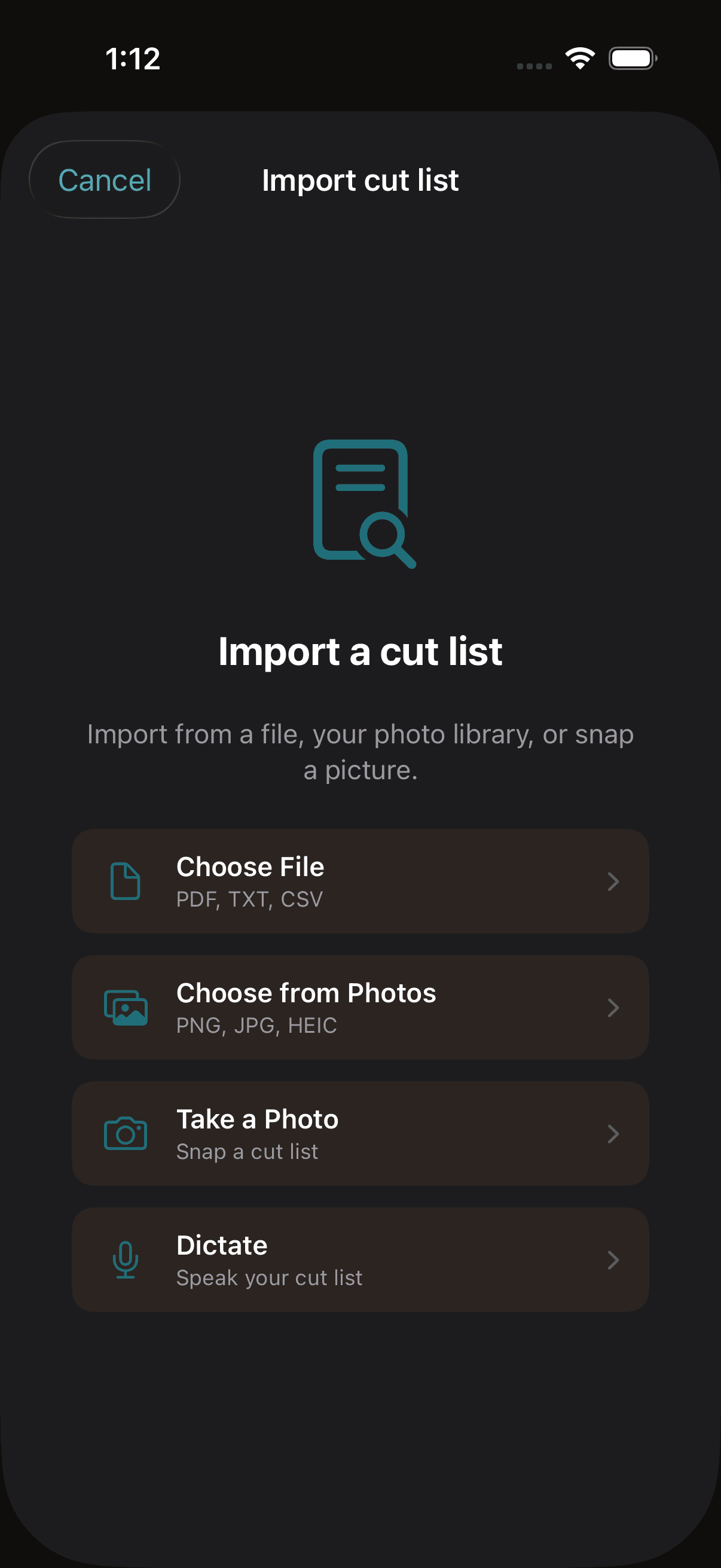
  • Photo of a printed or handwritten list
  • Voice dictation ("four shelves 24 by 12")
  • CSV and PDF file import
  • Review every parsed row before it hits your project
Kerf import screen offering four source options: file, camera, photo library, and voice dictation

Imperial + Metric

Switch between inches, feet, millimeters, and centimeters per project. Inches support fractional input like "24 1/2" with compound feet-and-inches display. Metric modes use decimal values with 0.1 mm or 0.1 cm precision.
  • Fractional inches ("24 1/2", "3 1/8")
  • Compound feet-and-inches display
  • Millimeters and centimeters
  • Project-level unit setting
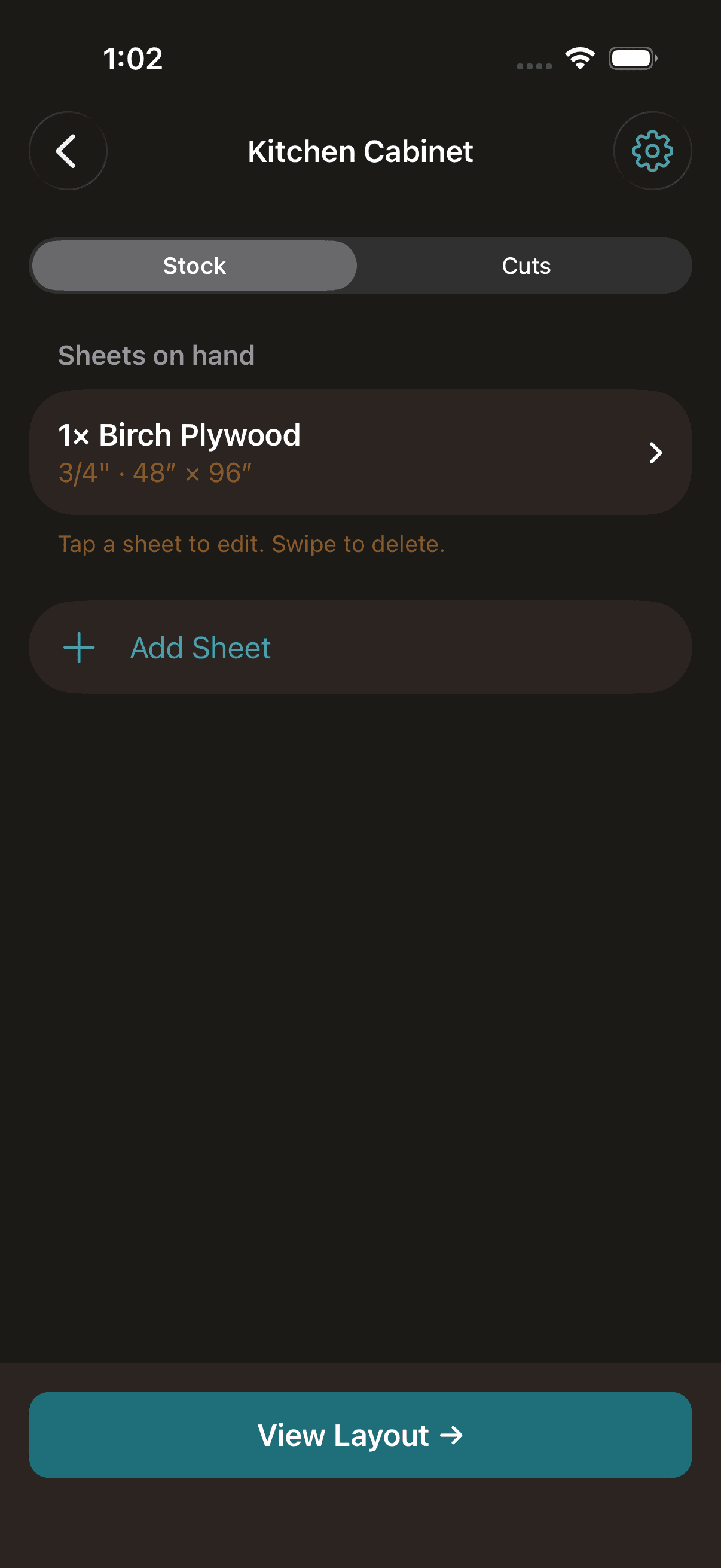
Kerf stock editor with dimension fields accepting fractional inch input

Kerf-aware

Set your saw blade width once per project and Kerf automatically accounts for material loss between every cut. Never end up short by a blade width again.
  • Per-project kerf setting
  • Fractional inch input (1/16", 3/32", 1/8")
  • Applied between all adjacent cuts
  • Preserves exact dimensions on the rendered layout
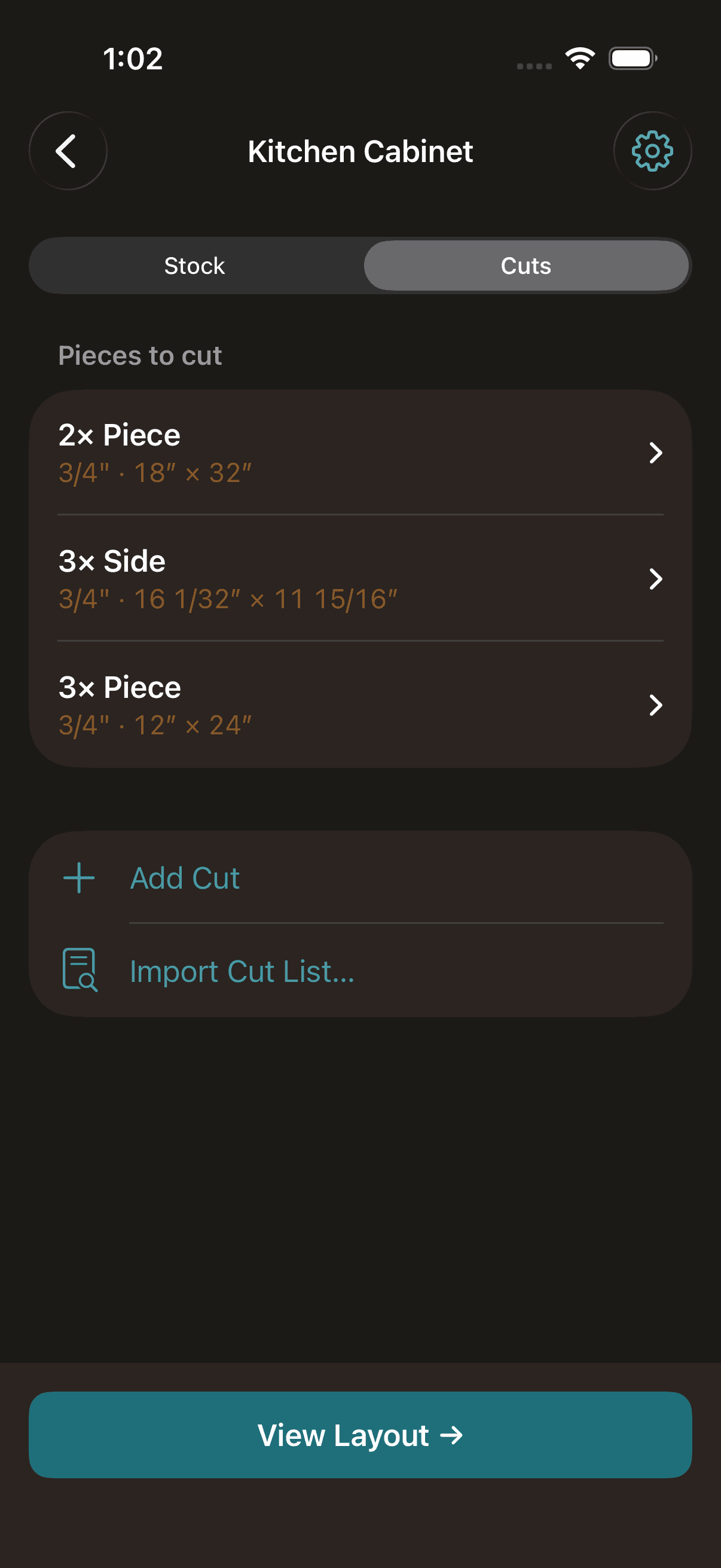
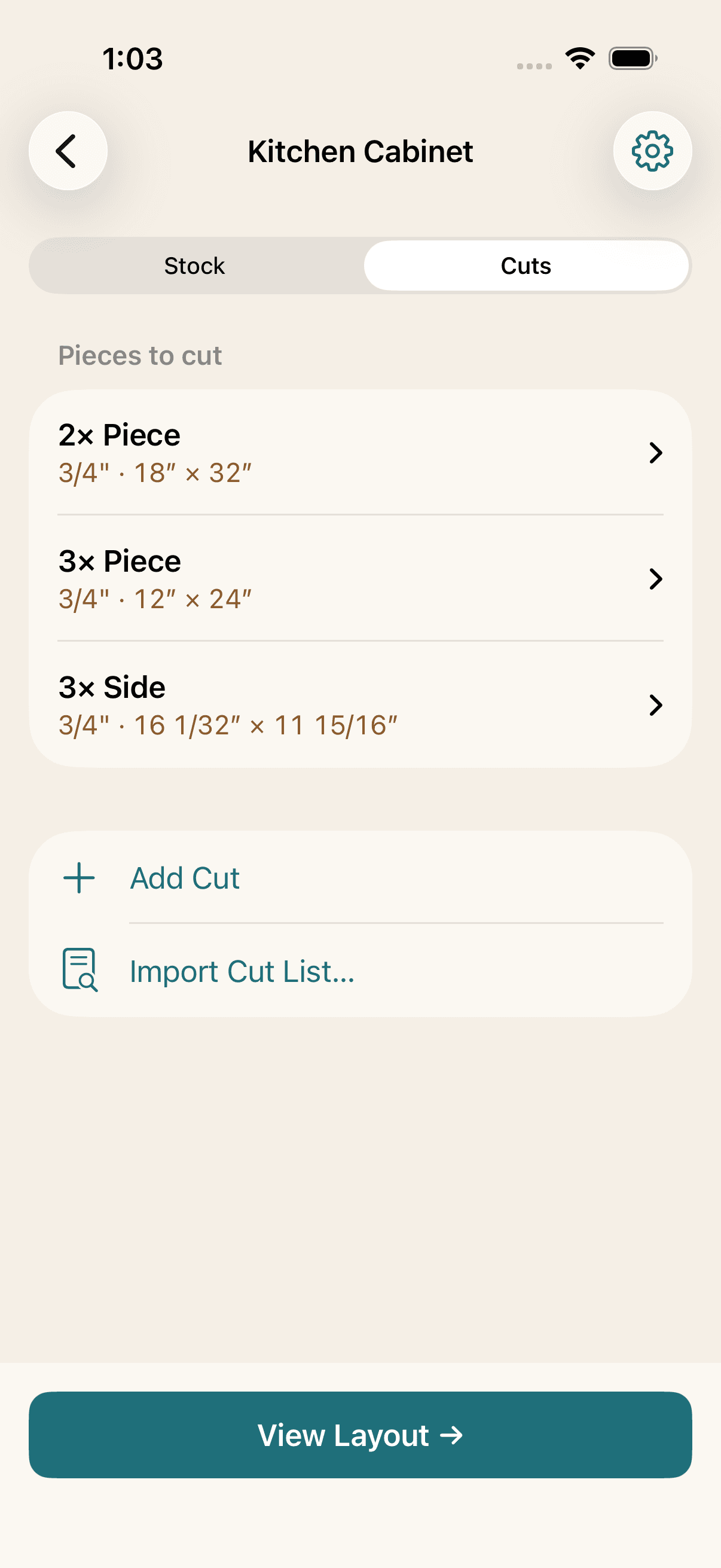
Kerf cuts editor showing a list of cut pieces with dimensions and quantities

Grain direction

Toggle "grain matters" on any cut to lock it to the stock sheet's grain direction. The solver will not rotate locked pieces, so your face-grain panels stay oriented correctly.
  • Per-stock grain direction (along long or short edge)
  • Per-cut grain lock toggle
  • Solver respects lock during packing
  • Visual grain indicator on the results canvas
Kerf cuts editor with a grain-lock toggle next to each cut piece

Multi-thickness

Real woodworking projects mix thicknesses — 3/4" cabinet sides with 1/2" shelves and 1/4" back panels. Kerf groups cuts by thickness and only matches them to compatible stock, so your thin cuts stay on your thin stock.
  • Thickness on every sheet and cut
  • Strict thickness-matching in the solver
  • Separate layouts per thickness group
  • Unplaced cuts flagged when no matching stock exists
Kerf Easiest Cuts layout showing pieces grouped by thickness on a plywood sheet

Export to PDF

Export your solved layout as a PDF or PNG via the native iOS share sheet. Each sheet rendered with piece labels, dimensions, and the same color-coded layout you see on screen.
  • PDF export with one page per sheet
  • PNG export for quick sharing
  • Native iOS share sheet integration
  • Print-optimized formatting
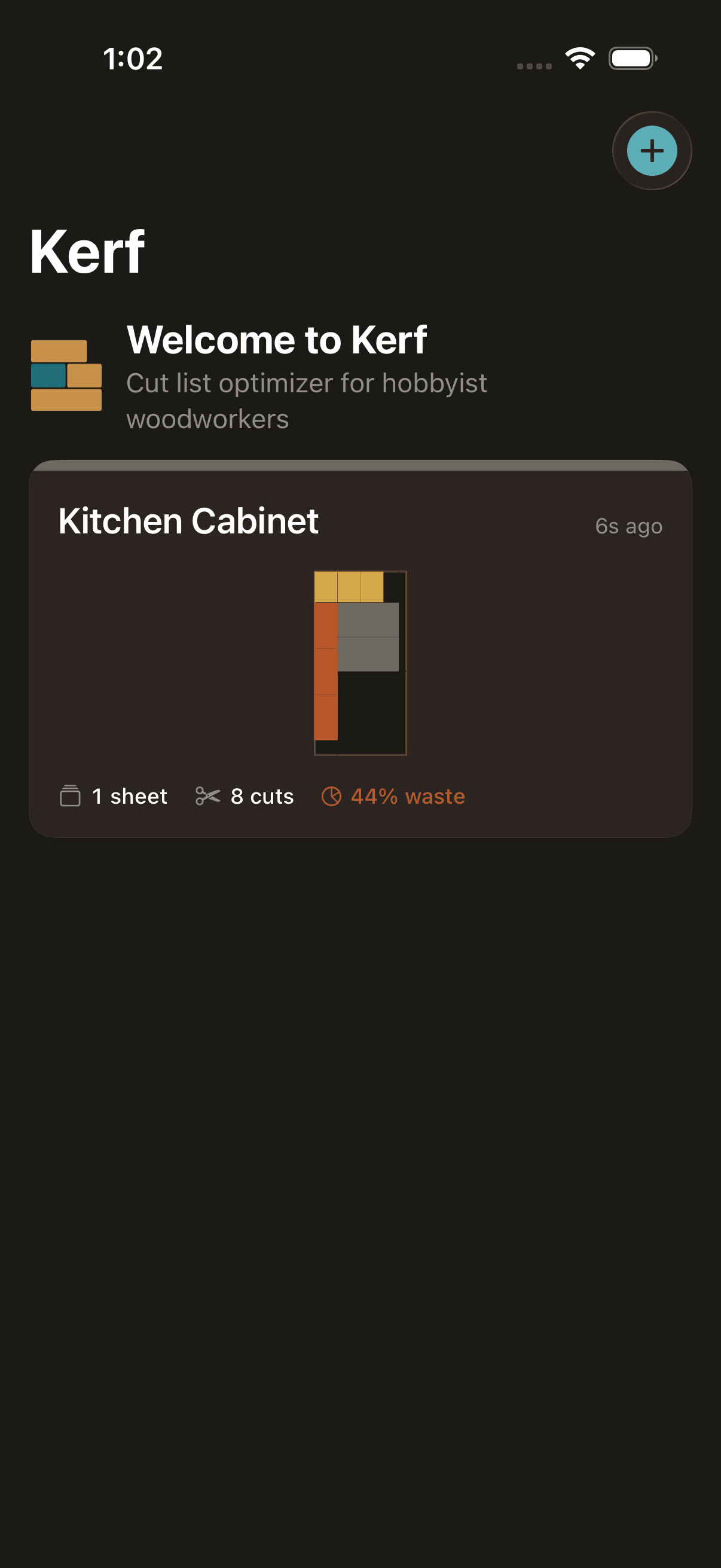
Kerf project list showing saved cabinet projects with thumbnail previews of their solved layouts

Ready to minimize your waste?

Free to download. Works on iPhone and iPad.

Download on App Store